Connect Claude Code to Tonpit over MCP and it directs the whole production: script, footage, animation, voice, music and the cut, on a timeline you both work in. This 25-second ad took about two hours, eight footage drafts and about $25.
Claude Code can make a video without Tonpit. It improvises: footage from one model’s API, music from one site, sound effects from another, all rendered together at the end. After that, every change, a cut moved by half a second or a quieter track, means rebuilding the render. Higgsfield’s connector for Claude, a popular alternative, generates footage, images and voice, but lists no timeline, music or sound effects, so the cut happens in other software.
Tonpit puts all of it in one place an agent can work in: a non-destructive timeline you and Claude share, animation written as code at no cost, libraries of music and sound effects, and the craft of video production written into skills Claude loads the moment it connects, so it can lead every stage from script to mix. If you’re serious about the result, or plan to iterate or make more than one video, this is the professional way to do it. The prompts, the brief template and the setup are in the public repo.
Made October 26 to 28, 2026, with Claude Code (Opus 5.5 for most of the work, Fable 5.1 for the script) connected to Tonpit. The numbers are from that session.
What do you need before you start?
A subscription to Claude, or to whichever model you work with, and a Tonpit account. Connecting Claude takes one click on Tonpit’s MCP page, and the page walks you through any other agent. You can also just ask your agent to connect itself. From then on, Claude brings Tonpit’s knowledge into every session: the models and how to prompt each one, the production methods, the timeline.
Use a very strong model. Fable 5.1 is my pick for the concept and the script. Opus 5.5 is an excellent editor and animator, and cheaper for the Sisyphean middle of the work.
Can Claude Code make a video on its own?
Yes, by improvising. For animation, Remotion and HyperFrames are free and good. For the rest, Claude stitches together whatever it can reach into one render. For a one-off, that may be enough.
The cost shows up in the iterations, and that’s where a video gets good. A render is not an editing project. With no timeline to come back to, every round of notes costs more tokens, more time and more complexity, for you and for Claude. And no single prompt replaces an animator, a director and an experienced editor. If you’ve tried the one-prompt videos in your feed, you know.
Tonpit is built for that loop. Claude’s work lands on a real timeline. You look, give a note, and Claude goes back, or you grab a clip and trim it yourself.
What does the first prompt say?
What the video is for, and where Claude can learn about the product. It can be this simple:
Hi, I want to make an ad for Jerv. Here's a link to a doc that explains the app. Help me figure out which video is right to make, write the script with me, and then produce it.
With Tonpit’s knowledge behind it, Claude asks the right questions, helps you decide what video is worth making, sharpens the message and writes the script with you.
You can also start from a template, a ready video structure that you and Claude fit your product into. The Jerv ad is the Before / After one. Browse the templates.
Either way, invest in the script. Everything after it depends on its quality. Finish with a good script and you’ve done more than half the work.
Which model do you generate with, and why the expensive one?
For footage, Seedance 2.5, the most expensive model and the one Claude will recommend. Counter-intuitively, it may be the cheapest way to make your video: fewer iterations, and a professional result that is much harder to reach with another model, if it’s possible at all. Generate drafts at 480p. Once the edit is locked, finish the kept shots exactly as they are, in 1080p.
Claude names the model in its production plan, with what to generate and what it will animate. Animation in Tonpit is written as code, costs no credits, and comes with a control layer for the camera, the transitions and the timing of each sequence. Ask Claude to expose anything else as a control, a word, a colour, a speed, and a small change becomes a slider instead of another round of prompts.
What do you generate first?
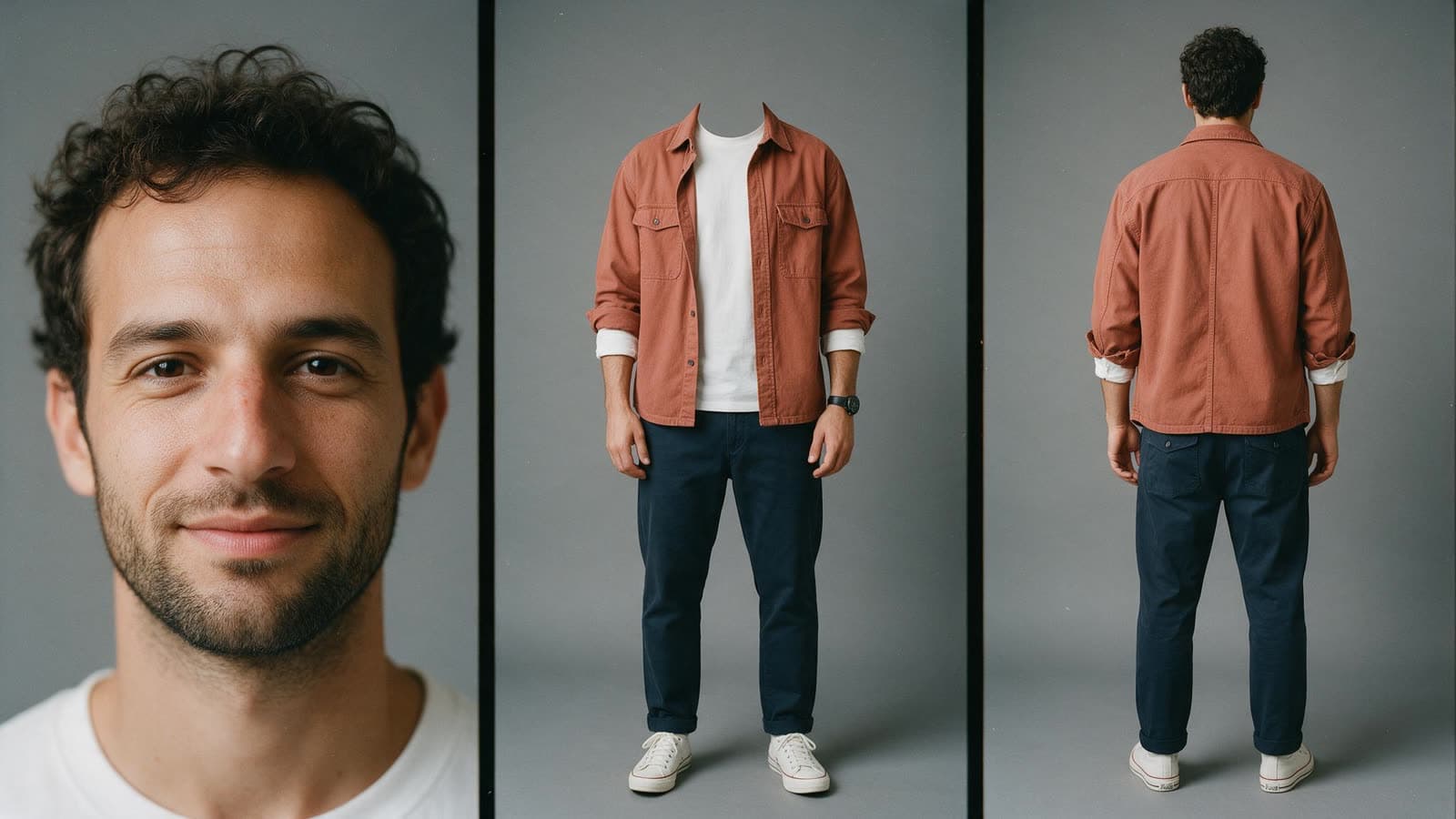
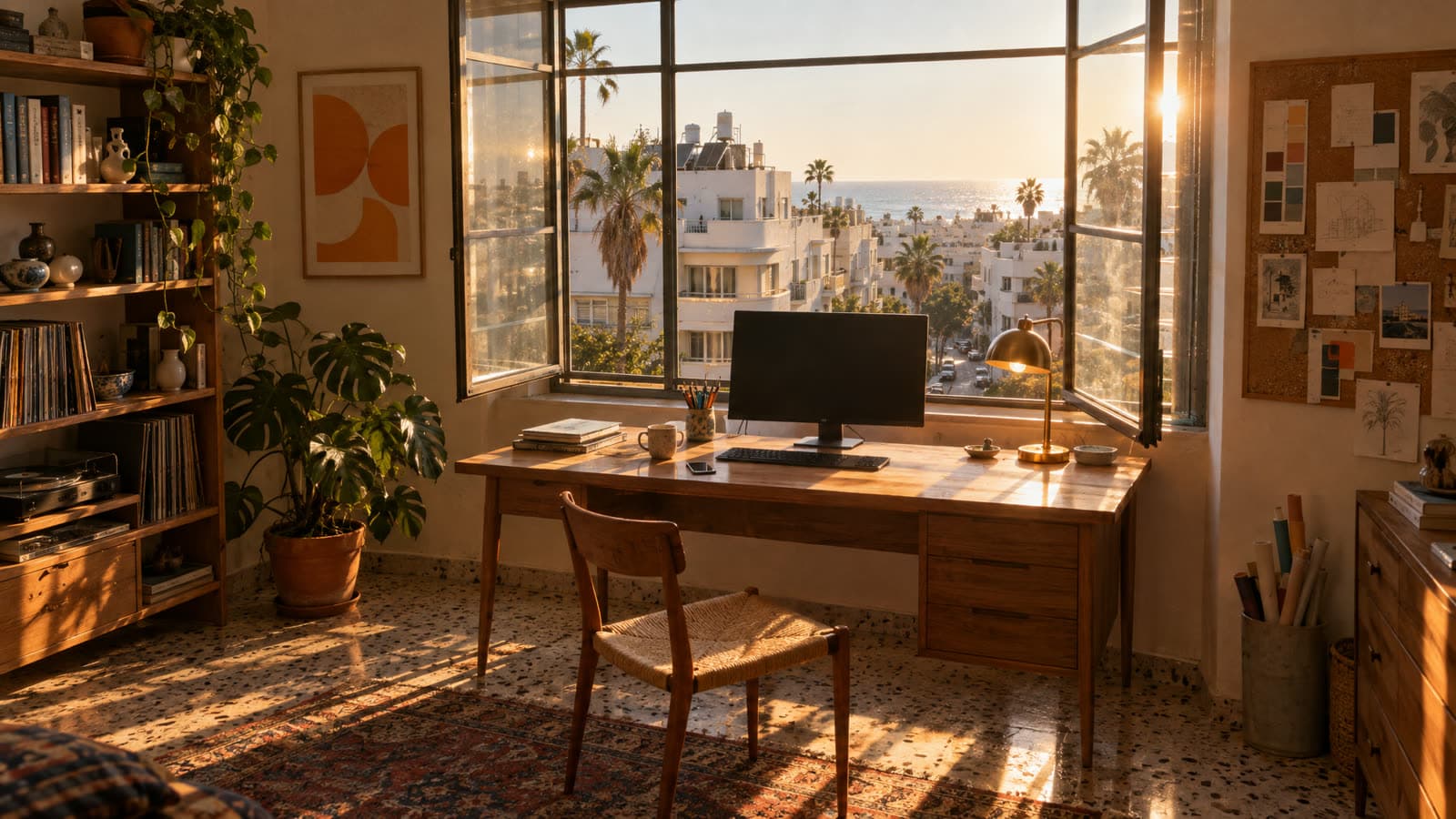
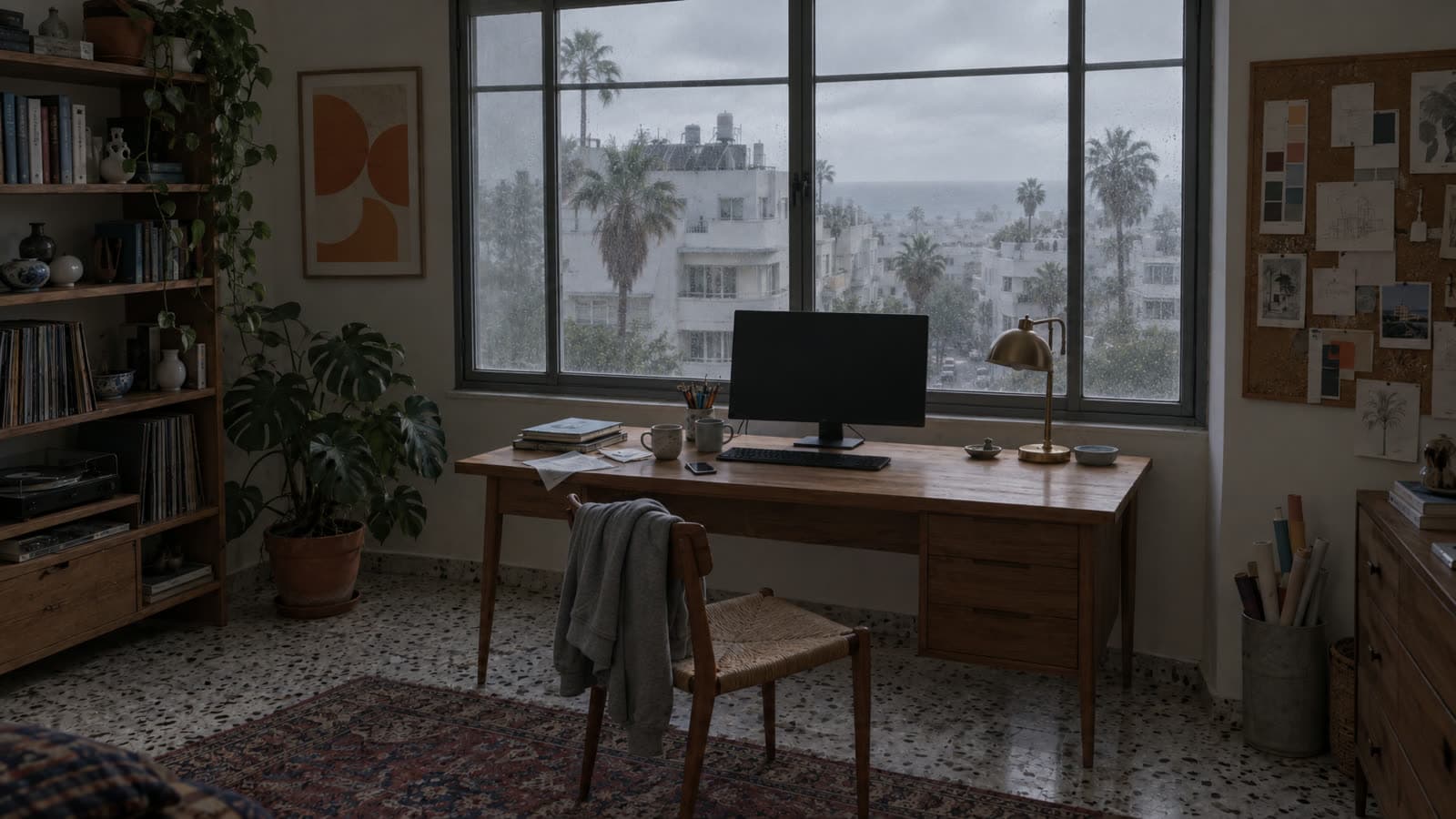
Reference images, for anything that has to stay the same across shots: a character, a location, a product. For Jerv, that meant a character sheet of our freelancer, Tom, and his home office in two lights, golden and grey, for his two states. The grey room is a relight of the golden one, so both shots happen in the same room.
How do you write the shots and give notes?
Claude writes the prompt for every shot, and this is where you spend your time: describe exactly what you imagine, patiently. It saves rounds, time and money. When the shots render, Claude sends a Tonpit link and you review them there.
Then the notes. Golden tip: models fix notes as patches. They bolt your note onto the existing prompt, and with every round the prompt gets less coherent and the shot gets worse. Ask for a rewrite instead:
Don't patch the prompt. Read my notes, rebuild the shot in your head from scratch, and write a new prompt as one coherent description: where everything is, what the camera does, what he does. Keep nothing from the old prompt that the new picture doesn't need.
Eight drafts led to the two shots in the ad, and not only by trial and error. Along the way I found out what I wanted: a camera move I had planned didn’t work, one long shot became two, and the ad found its shape while I edited. Both approved prompts are in the repo.
When do you build the timeline?
Early, while the footage is still generating. Ask Claude to lay the voiceover and the animation on the timeline with the drafts you have. Every first cut is bad, and that’s its purpose: it gives you the first feel of the rhythm, shows what works and what doesn’t, and starts the ideas coming. Don’t wait for finished pieces to see the whole.
Why is the first cut bad, and who fixes it?
Because Claude can’t edit yet, so the fix is your judgment. Whatever anyone promises, agents don’t feel rhythm, hear the music or sense what works. We humans struggle to explain why something works, too.
Get the rhythm right before polishing anything. You can tell Claude what to move and where to cut, which can take many prompts, or take control yourself. If you think that’s beyond you, it isn’t. Editing is far less technical than it looks: shorten or lengthen a clip, play it again, until the rhythm works.
This is also when the script changes. It’s the first time you see and feel what you planned: a sentence lands wrong, or a better idea shows up. It happens in every edit. Allow it. Jerv’s opening line changed twice at this stage and ended as a question: “Why is getting paid the hardest part of the job?”
How do you get the animation to look professional?
With rounds of notes, and one prompt that makes Claude review its own work. Once the edit is roughly right, regenerate what still has mistakes and give notes on the animation and the design. If you don’t know what to say, “it doesn’t work for me yet” is a complete note. The first rounds will probably feel amateur. This prompt moves them:
Review this animation the way a world-class motion designer would. First simplify: cut anything that doesn't serve the message. Then refine the type, the spacing, the colour and every movement. Give every move intent and professional easing: anticipation before the big ones, overlap, and a tight stagger between elements. Nothing moves linearly, and no sequence opens on an empty frame. Then check it frame by frame and fix whatever still feels amateur.
Run it as many times as you need. Better still, give Claude a reference for the animation you want and it will follow it. A professional example may be the shortest road to professional animation.
How do you add music and mix it?
Ask Claude to do the sound, and it knows what to do. Tonpit’s skills carry the method: it searches the music library, turns on an EQ that clears room for the voice, cuts the song on a bar, ends it with a reverb tail and places sound effects on the animation’s moves. Each of those is also a switch in the music panel, if you’d rather do it by hand. When you know what you want, be specific:
End the song on the last bar of the verse, right where the picture ends, with a reverb tail. Keep the music under the voice, and put sound effects only on the big moves.
Picking the track is where your ear matters most. Music changes everything, and the right one takes many tries, or luck. My tip: fit the song by its ending. Find a natural end, usually the end of the song or of a verse, and line it up with the end of the picture. The start is more forgiving, so even an aggressive cut there works. Take your time here.
How long did it take and what did it cost?
About two hours of focused work, and about 2,500 credits. A credit is one cent, so that’s $25.
| What | Model | Jobs | Credits |
|---|---|---|---|
| Reference images | Seedream 5, GPT Image 2.5 | 4 | 45 |
| Footage drafts, 480p | Seedance 2.5 | 8 | about 1,100 |
| Footage finish, 1080p | Seedance 2.5 | 2 | 1,367 |
| Voiceover | Chris, two versions | 2 | 12 |
| Animation, timeline, music | Written as code | 0 | |
| Total | about 2,500 |
The drafts are where the learning cost; usually I need fewer. Animation, the timeline and the music cost nothing, because a connected agent’s work in the studio is free. Credits go to generated footage, images and voice. Exports come with a plan, three a month without one.
What do you do with the finished video?
Make the next one. The first video takes much longer than you expect, because you’re learning. The next ones go much faster: you know the process, and you’ve built assets you can reuse with small changes. Ask Claude for versions in other lengths and ratios, and almost without noticing, you’re running a small video production studio.
Don’t fall for the trends. Video isn’t one prompt and done. It still takes your judgment, your time and your investment, and it pays off.
The prompts above, the two approved shot prompts, the reference-image prompts, a brief template and the setup are in the public repo.